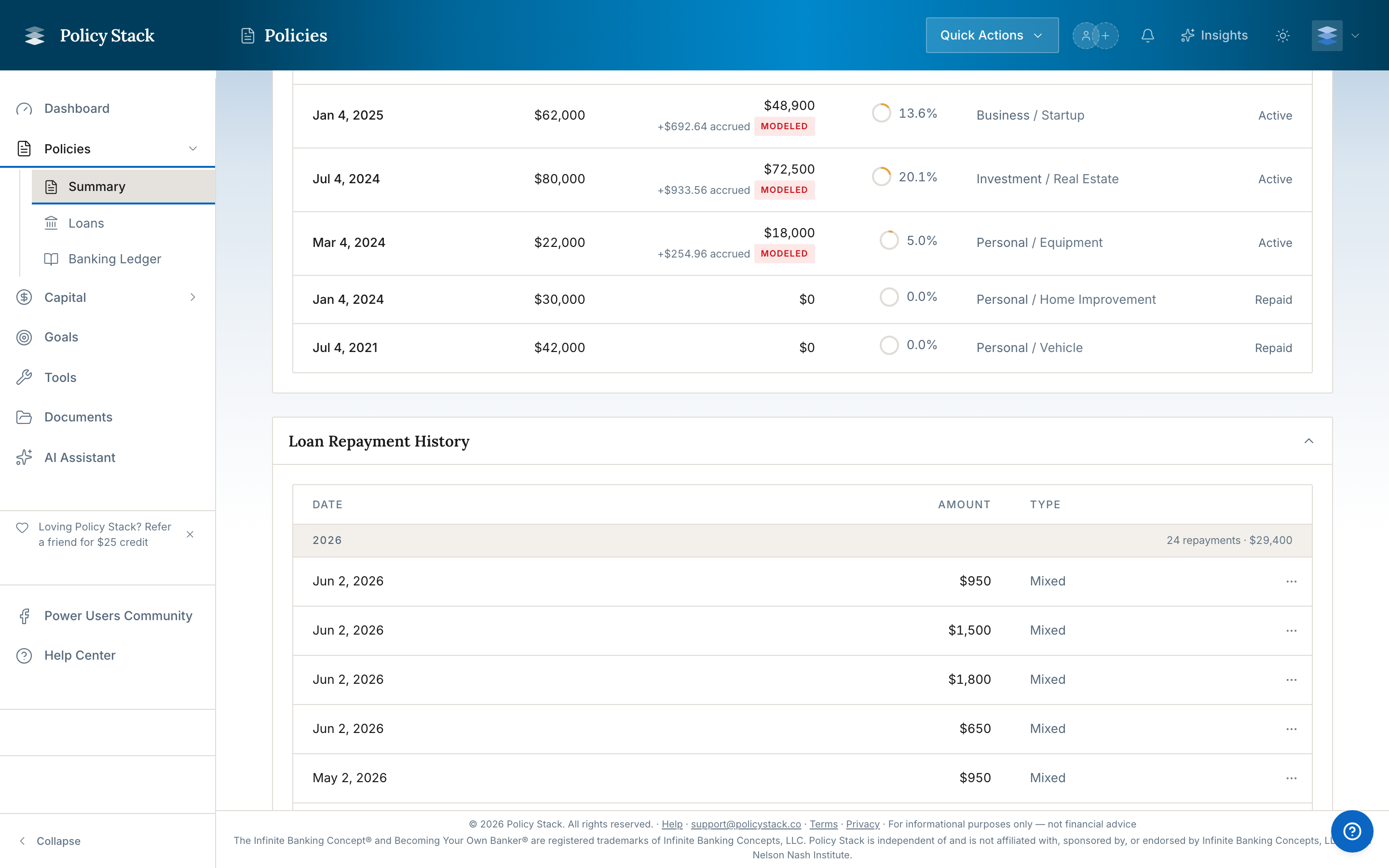
Track carrier balances, draws, repayments, and schedules in one loan history.
On this page
The Loans tab in a Policy Workspace shows each policy loan's carrier-facing balance, rate, draw history, repayments, timeline, and loan-to-value context.
Policy loan history
For the concept behind these mechanics — the draw, capitalized interest, LTV, and repay-and-redraw cycle — see How Policy Loans & Draws Work.
Record Activity
Record a policy loan or additional draw with its amount and date. When the draw-characterization fields are shown, choose Deployed into an asset and select the recorded asset, or choose Personal use with a purpose category and optional note
Log a current or past repayment and assign principal with the saved First in, first out (FIFO) or Equal reduction default, a one-time override, or exact dollars by draw
Edit or delete a recorded repayment when the source record needs correction; deleting it adds the principal back to the tracked loan balance
Use a repayment schedule for future recurring payments. Auto Log records scheduled activity on its cadence; it does not move money at the carrier
To correct what a Loan Disbursement was for, open its Banking Ledger row menu and choose Edit characterization. This can change the asset link or personal-use details without changing the draw amount or tracked loan balance.
Repayment Plans
A loan can have its own repayment plan, set in the Policy Loan Repayment Planner
A plan on the policy itself is one shared monthly amount for every loan without its own plan. Set or change it with Edit on the policy's Repaying line
The monthly repayment total counts every plan, whether or not Auto Log records it
When a loan with its own plan is paid off, its monthly amount moves into the shared amount, so the policy's monthly total stays the same
A loan paid off on its own plan is shown once, on the Loans page and the policy's Loans tab
The policy's open loans are listed by the year each was taken. Paid-off loans fold into one Paid off row at the bottom; open it to see them, newest first
A loan with its own plan has Schedule: month, payment, interest, principal and balance, with logged months first and the months ahead labelled Projected. The policy's shared amount has one on the Repaying line. The schedule uses the Policy Loan Repayment Planner's math, so the two show the same numbers
Repayment found (Cash Flow households): when a payment from a connected bank account matches a loan's plan, the policy's Loans tab asks "the Car repayment?". Log it records the repayment on that loan and remembers the payee, so later payments match on payee. A different amount asks what the difference was: Extra on the loan logs it all, Fee logs the plan amount, Change the plan logs it and sets the plan to that amount. Not this hides it for good. Nothing moves money
Pay it off sooner on a loan with its own plan: enter an extra amount a month to see the new payoff month, how many months sooner, and the interest against today's plan; the schedule updates with it. Set saves the new monthly amount to the loan's plan, and its auto-log follows
Interest
Interest owed (Computed) is simple interest since the policy anniversary: loan balance × loan rate × days ÷ 365. A loan taken since the anniversary counts from the day it was taken, and interest your repayments paid since then comes off. The carrier adds the rest to the loan balance at the next anniversary. It isn't shown for interest billed in advance, which is already on the loan
Interest charged adds up the interest entries recorded on the loan, from statements or entered by you. It is hidden when none are recorded
Interest owed shows on the Loans page for each policy and for the household; both figures show on the policy's Loans tab
Reconcile with the Carrier
The latest applicable snapshot is the carrier-reported loan-balance anchor shown across the policy and Loans surfaces. Material increases beyond expected interest become one canonical snapshot-backed draw, while nominal increases are capitalized interest. When unrecorded activity is detected, the follow-up records what happened and can assign repayment principal to draws without moving the balance twice. Historical draw reconstruction records original and current-remaining amounts without changing that latest balance. Use Loan repayment settings in the Loans page ⋯ menu to choose First in, first out (FIFO) or Equal reduction as the household default; exact and plan-directed choices take precedence.
Policy Stack is a tracking and visualization tool. It does not provide financial advice, recommendations, or opinions on what you should do with your banking system.
Policy Stack is independent of and is not affiliated with, sponsored by, or endorsed by Infinite Banking Concepts, LLC or the Nelson Nash Institute.